
Recommended next step
Add a company firstFree online job application tracker
Free job application tracker, no signup required
Add an application below and keep its status, applied date, job link, salary and notes together. No signup is required, and your tracker saves in this browser as you type.
No signup required to start. Any applications you enter can be moved into a free ApplyArc account without entering them again.
Live tracker
Your free tracker is ready
Add one application below. ApplyArc will work out what needs your attention next. Use Tab to move across the spreadsheet.
Autosaves in this browser as you type
Recommended next step
Add a company firstMore details
Recommended next step
Add a company firstMore details
| # | Company | Role | Status | Applied | Recommended next step | Notes | Job link | Salary | Row controls |
|---|---|---|---|---|---|---|---|---|---|
| Example | Northstar Analytics | Product Manager | Applied | 9 days ago | Follow up soon | Ask Maya about timing | Job posting saved | $120k | |
| 1 | Add a company first | ||||||||
| 2 | Add a company first | ||||||||
| 3 | Add a company first |
Tip: use Tab to move across the desktop tracker. Your tracker is autosaved on this device. Save it to a free account to use it across devices.
Want to keep what you entered?
Create a free account and any applications entered above will be moved into ApplyArc. You will not need to enter them again. You can then use your tracker across devices and unlock reminders, recruiter email matching, resume or CV versions, and interview preparation.
Why tracking job applications actually matters
Applying for jobs is not the hard part. Staying consistent is.
Without a system, it becomes easy to lose track of where you applied, forget to follow up, miss important application-related emails, or forget which resume you used for which role. A job application tracker helps you maintain momentum by keeping everything visible and connected.
Instead of restarting your thinking every time you return to your search, you pick up exactly where you left off.
What you can track in ApplyArc
- Every role you applied to, with stage and next step
- Spreadsheet imports from Excel or Google Sheets
- Application-related emails and notes attached to the right role
- Follow-ups and deadlines you can actually see
- Resume versions so you know what you sent
- Resume scoring against each job description
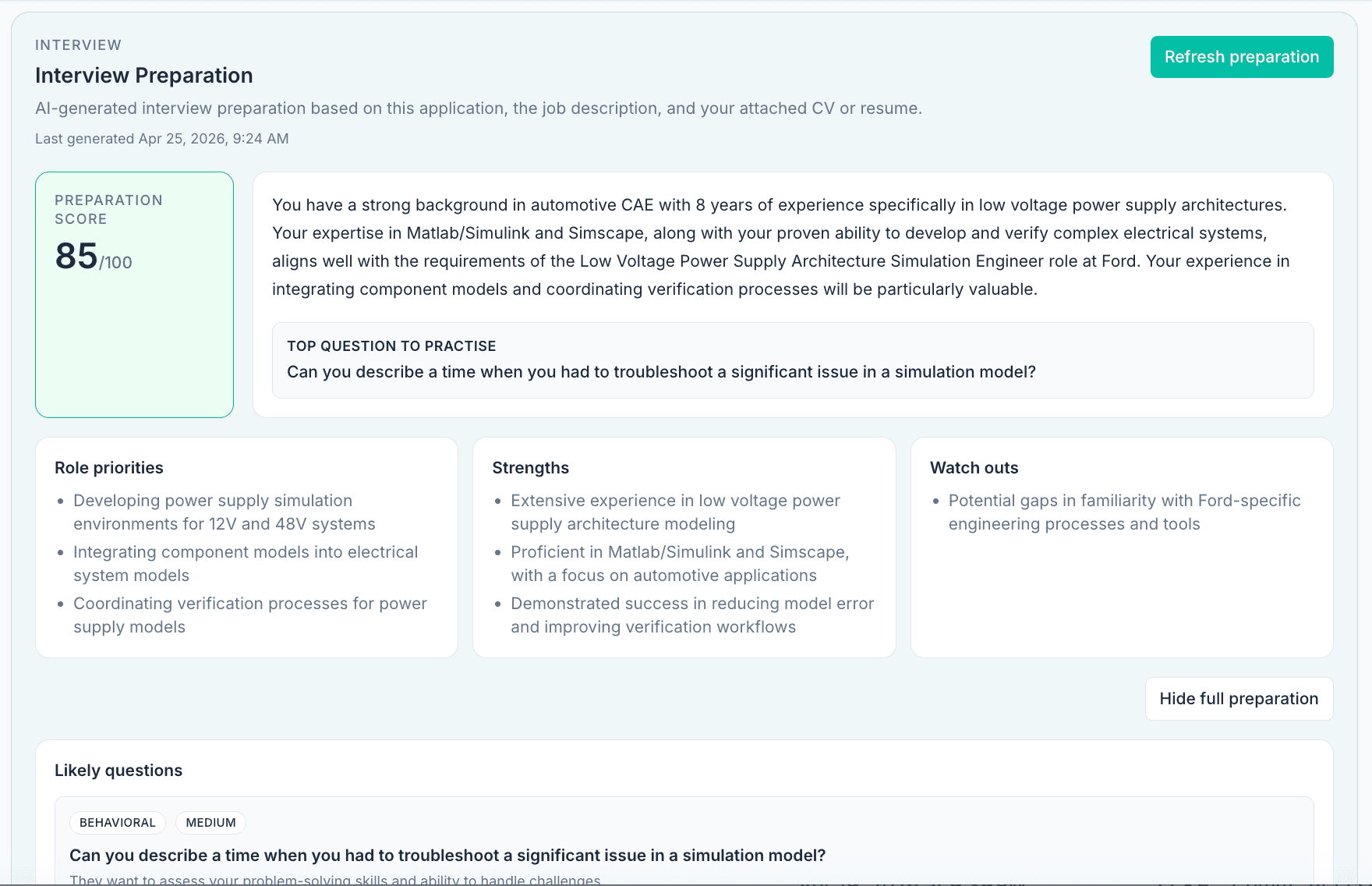
- Interview prep based on the role you saved
- Role summaries, must-haves, and keywords
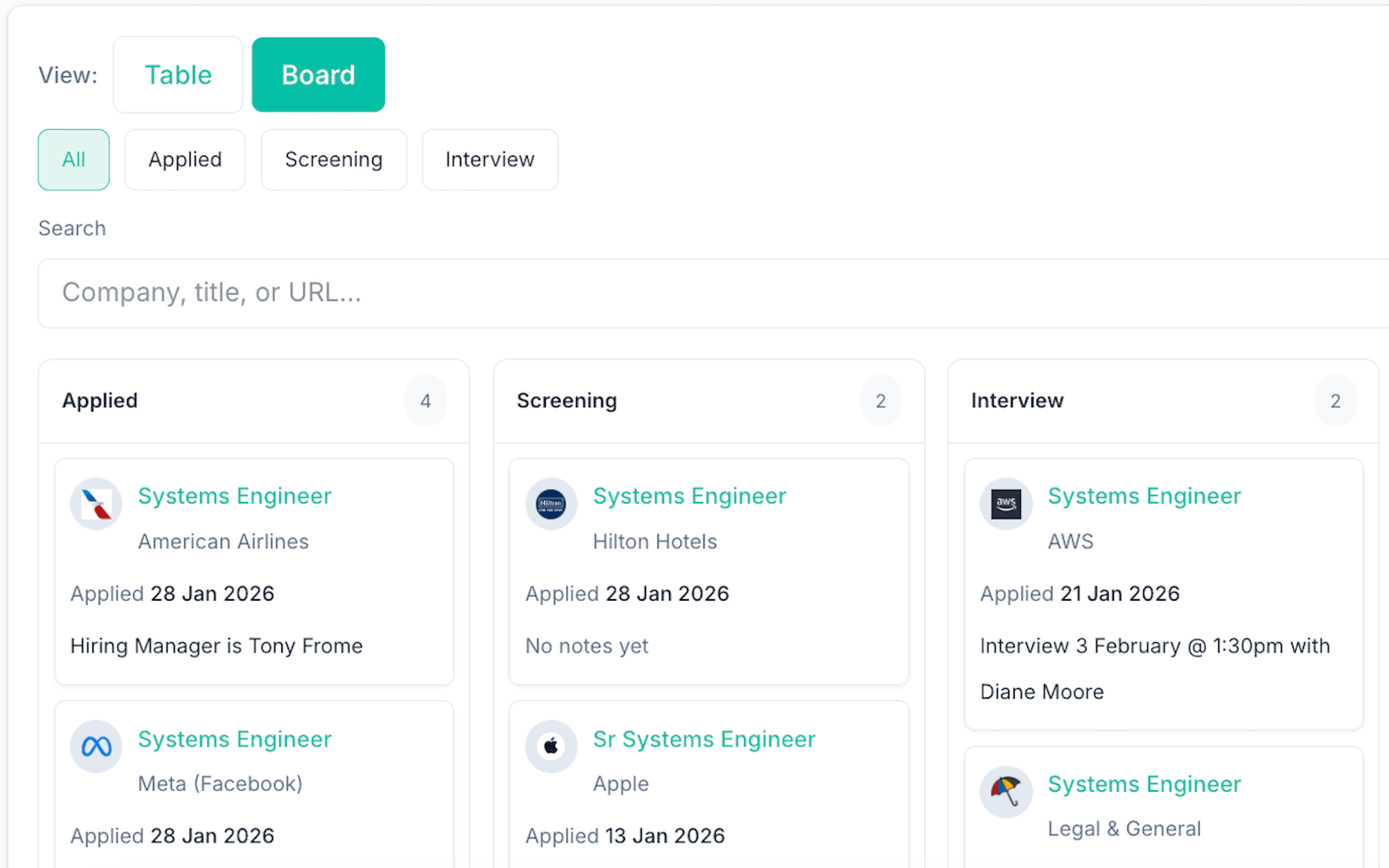
See every application and next step in one place, instead of rebuilding the story from memory.
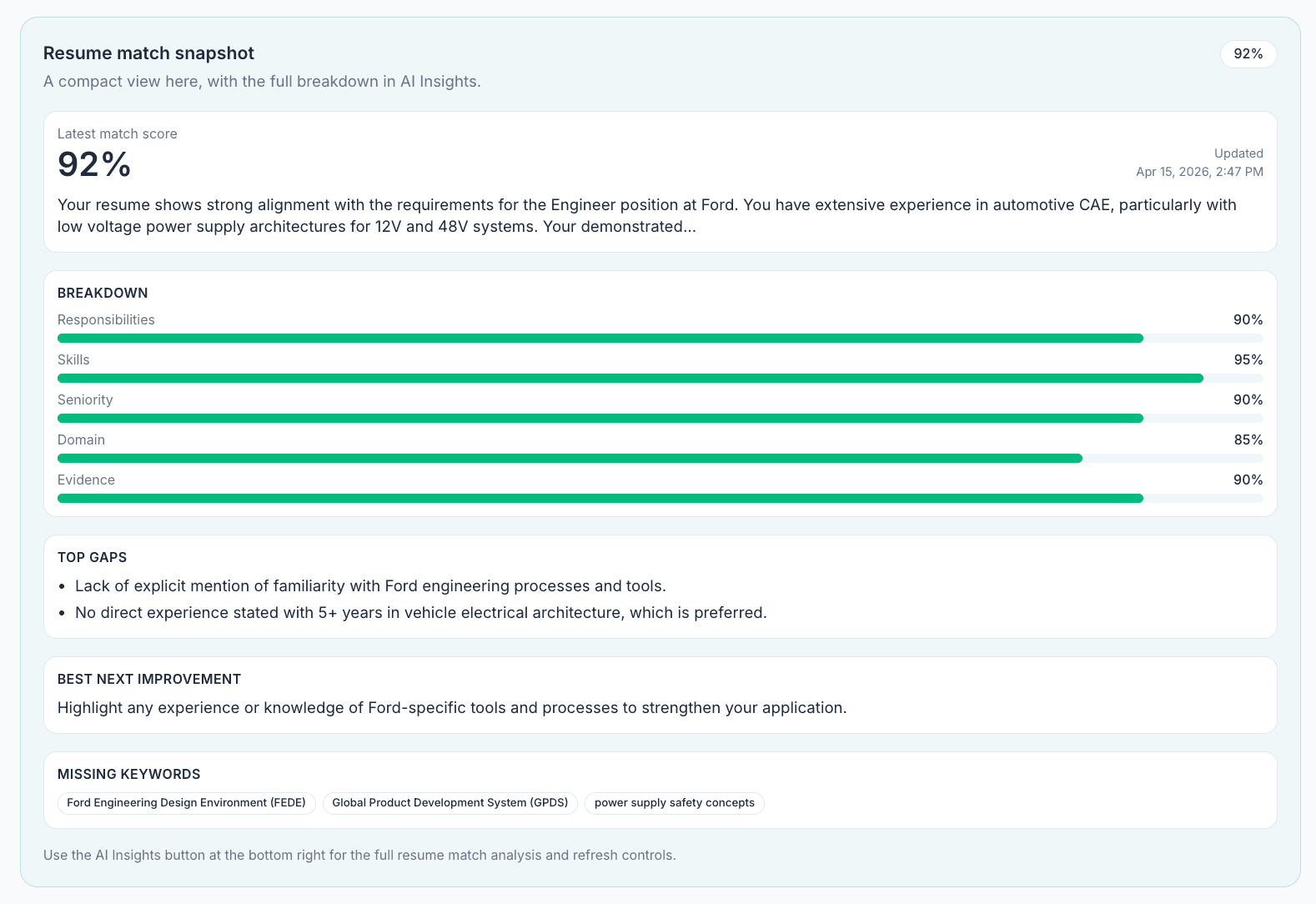
Understand how your experience aligns with each role and where to improve before applying.
Spreadsheet vs job application tracker
Using a spreadsheet
- Manual updates for every change
- No connection to application-related emails
- Easy to forget follow-ups
- Resume context gets lost over time
- Interview prep lives somewhere else
Using ApplyArc
- Everything in one place
- Application-related email context stays attached
- Next steps stay visible
- Resume scoring and versions stay connected
- Interview prep uses the role context you already saved
Start with a spreadsheet →When a spreadsheet stops working →Compare the best job application trackers →
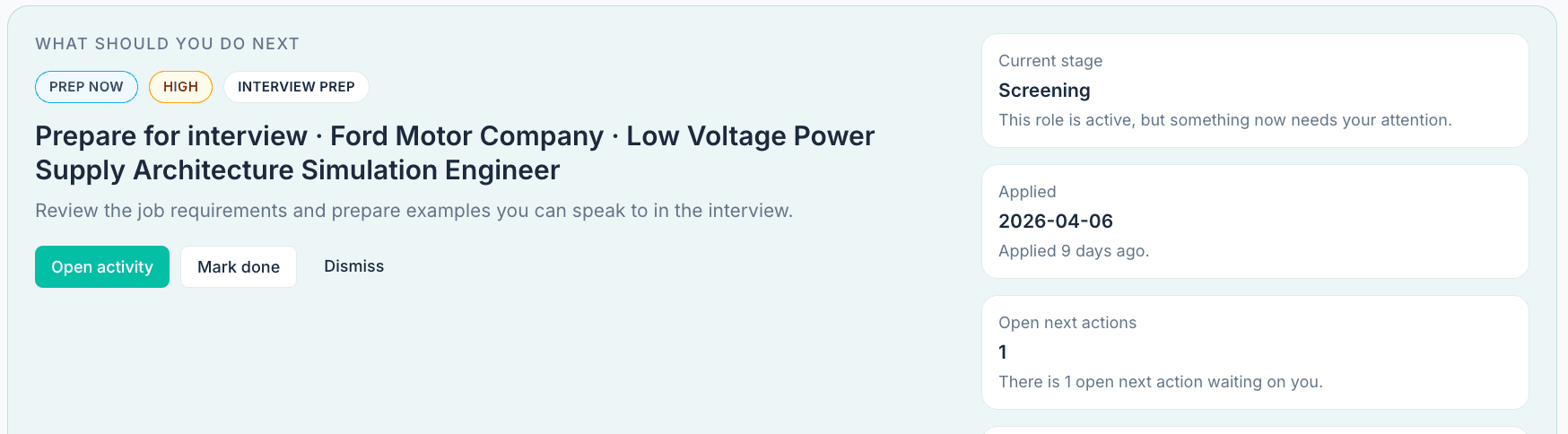
Keep next steps visible so you always know what to do next.
Prepare for interviews without starting from scratch
Once a role is saved, ApplyArc can help you prepare using the job description and application context you already have. That means likely questions, talking points, and prep notes are tied to the actual role, not generated in isolation.
Related guides and features
Job application tracker FAQs
What is a job application tracker?
A job application tracker helps job seekers organize their own applications. Record the company, role, job link and application date, then update the status and next step when you hear back.
How do you track job applications effectively?
The most effective approach is to keep everything in one place, including applications, application-related emails, notes, follow-ups, resume or CV versions, and interview preparation, so you always have full context for each role.
Is a spreadsheet enough to manage a job search?
A spreadsheet can work as a starting point, but it often breaks down as your search grows because it does not connect emails, notes, next steps, resume or CV versions, and interview preparation in one workflow.
Can I import my existing job application spreadsheet into ApplyArc?
Yes. ApplyArc lets you import an existing job application tracker so you can move from a spreadsheet into a dedicated job search workflow without starting from scratch.
Privacy-first by default
Your job search is personal. ApplyArc is built to help you stay organized without selling your data or turning your search into a product.
Read more in our Privacy Policy.
Ready to get started?
Start free, import your existing spreadsheet, or compare tracker options before choosing the system that fits your search.