
Free job application tracker spreadsheet
Free job application tracker spreadsheet
Download a free job application tracker for Excel or Google Sheets. Track applications, interviews, follow ups, notes, resumes, and status updates in one place. When spreadsheets become hard to manage, move into ApplyArc.
Looking for a job application spreadsheet? Download the free ApplyArc template below. No account needed.
Free Excel template
Download the ApplyArc job application tracker spreadsheet
Includes a tracker, dashboard, dropdowns, follow-up status, sample rows, and simple fields for applications, contacts, next steps, and notes.
No account needed. Opens in Excel, Google Sheets, or Numbers.
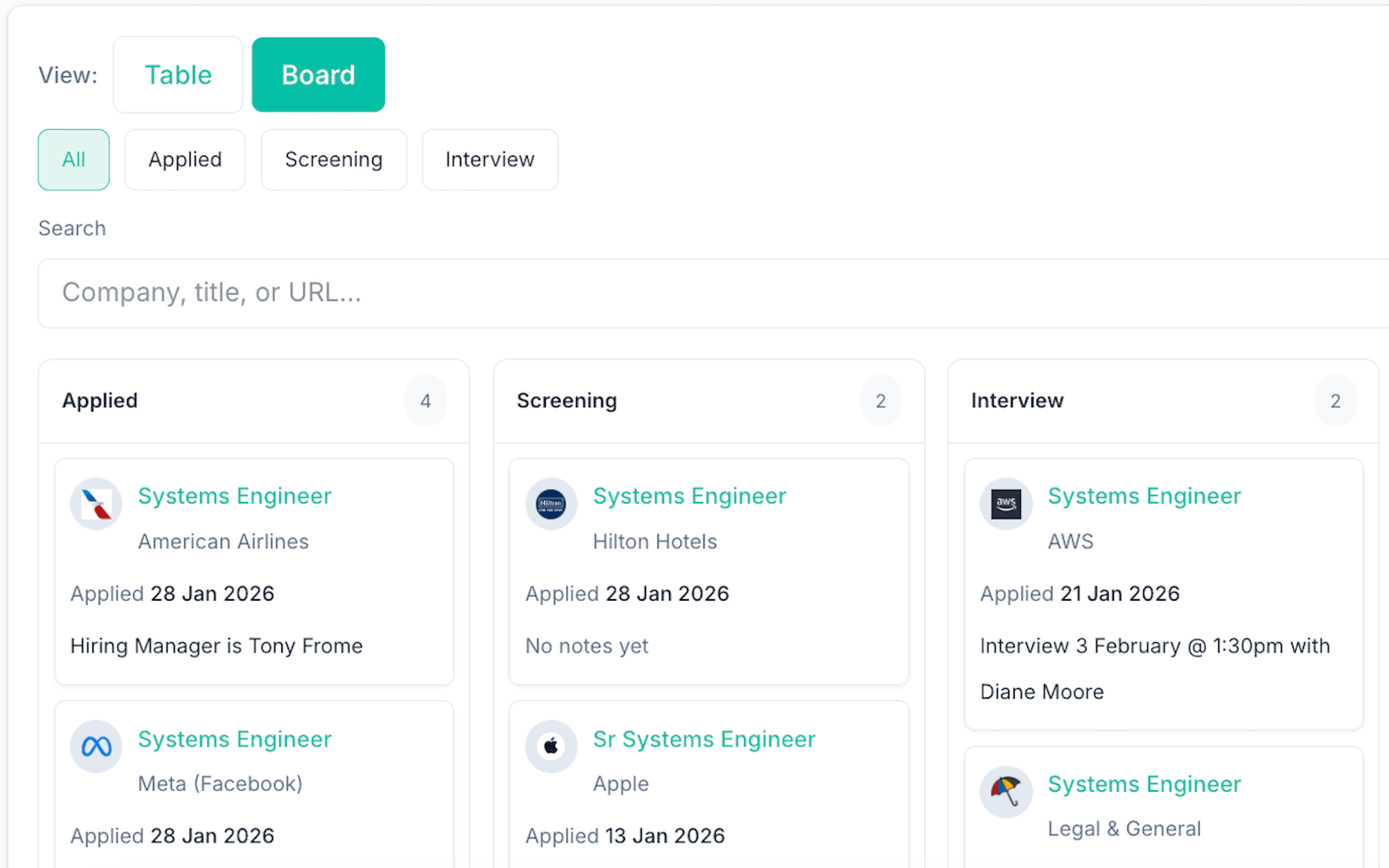
Track every application by stage
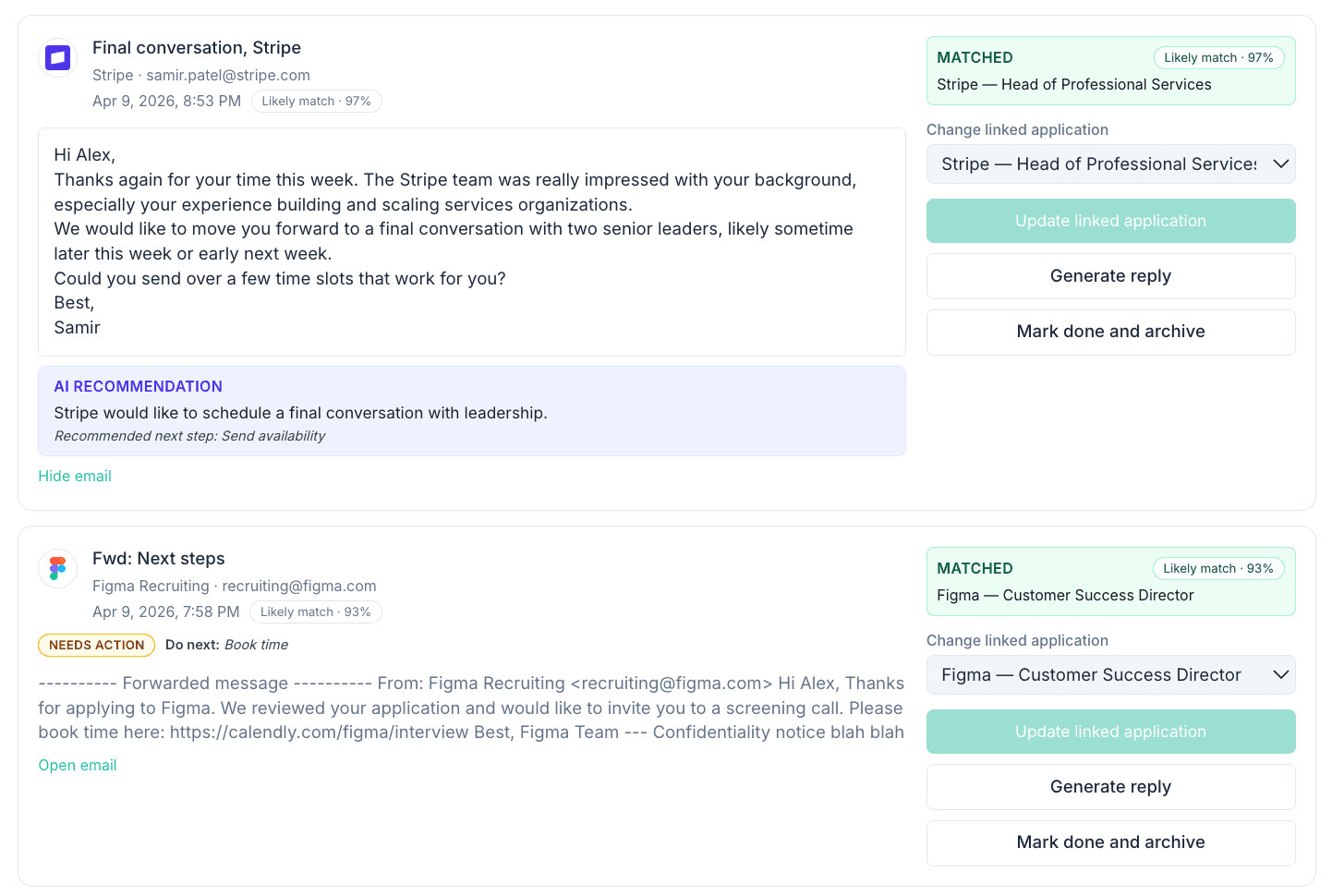
Keep application-related emails linked to roles
See what needs attention next
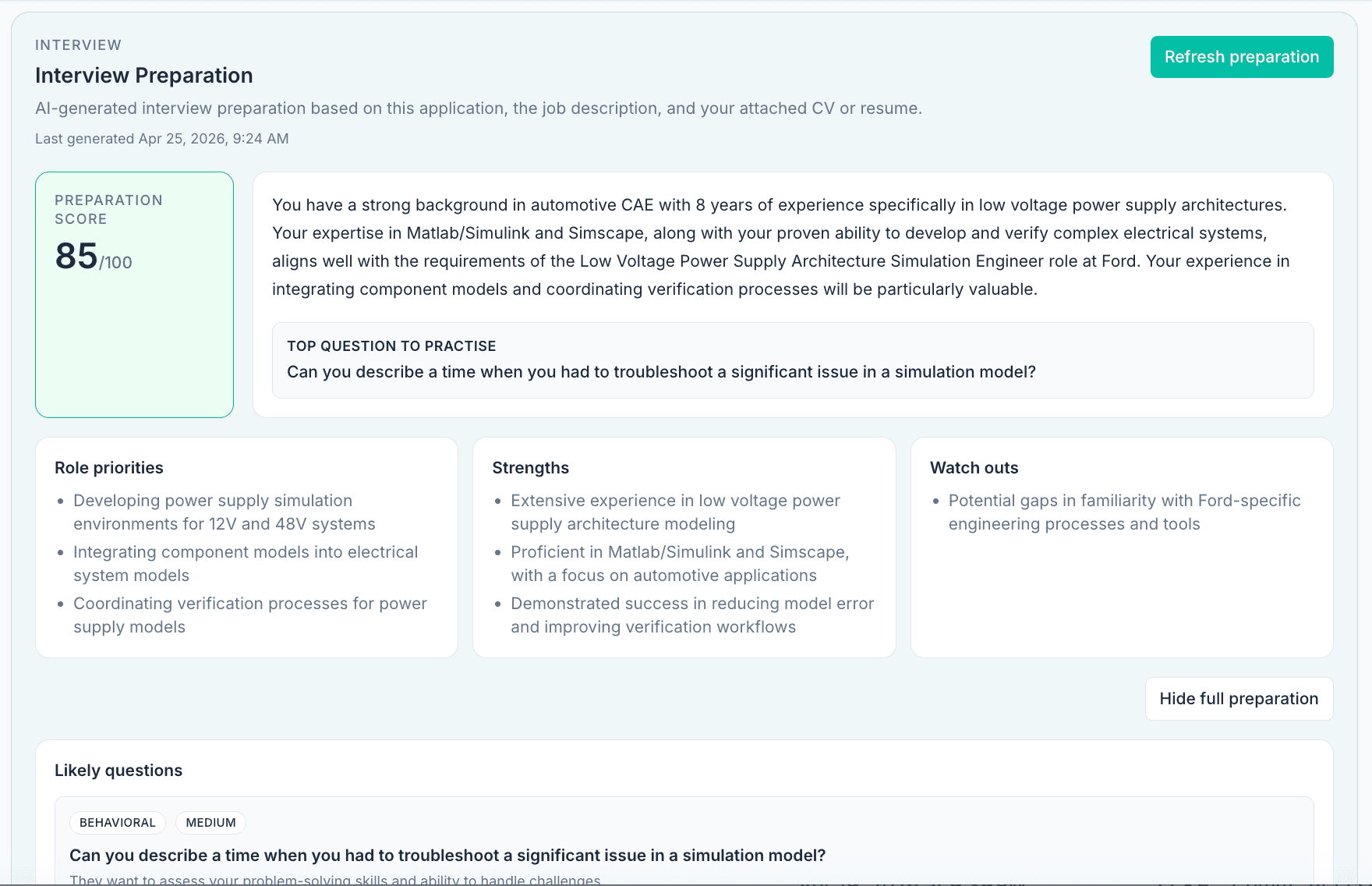
Prepare for interviews with role-specific AI prep
What ApplyArc adds beyond a spreadsheet
Track applications, emails, follow ups, and next steps together
Paste a real job link to preview how ApplyArc starts tracking it. Add your resume later for match gaps, keywords, and interview prep.
Paste a job posting link to try ApplyArc instantly:
No signup required for the first preview. Add your resume later for match score, gaps, keywords, and interview focus areas.
Follow ups
Due
See which roles need action next
Emails
Linked
Keep recruiter messages with the role
Prep
Ready
Notes and interview prep in context
AI is there when it helps
After the role is tracked, ApplyArc can summarize the job, find missing keywords, compare your resume, and prepare interview notes.
When your job application spreadsheet stops being enough.
A spreadsheet is useful for getting started. ApplyArc is for the point where applications, emails, follow ups, notes, interviews, resumes, and preparation need to work together instead of sitting in separate places.
A spreadsheet helps you list applications
It is a good way to start tracking company, role, stage, date, link, and notes in one simple place.
But a spreadsheet does not manage context
Recruiter emails, role details, resumes, follow-ups, interview notes, and decisions still end up scattered across tabs and tools.
ApplyArc turns tracking into a workflow
Applications, emails, notes, follow-ups, role analysis, and preparation stay connected so you can see what needs action next.
ApplyArc gives you next-step clarity
Role analysis, match insights, missing keywords, and prep notes help you decide what to do next.
Already tracking applications in Excel or Google Sheets?
Bring your existing tracker into ApplyArc and continue from where you are now, without rebuilding everything from scratch.
- • Import your existing application tracker in minutes
- • Keep company, role, stage, dates, links, and notes together
- • Stop maintaining duplicate trackers across tabs and inboxes
- • Move from passive tracking to an active workflow
Switch from a spreadsheet without losing your existing applications.
Free spreadsheet template
Prefer to start with Excel?
Download the ApplyArc job application tracker spreadsheet and use it before you decide whether you need the full product.
Track every job application by status
ApplyArc helps you see where each role stands, what needs a follow-up, and when something has gone quiet, without the mess of managing everything manually.
- • Track applications by stage in one clear workflow
- • Filter and review active roles quickly
- • Keep notes, follow-ups, and next actions connected
- • Maintain momentum without losing context
Keep recruiter emails connected to the right application
When emails live next to the role, it is easier to reply faster, keep context, and know exactly where things stand. No more searching your inbox and wondering which message belongs to which job.
AI help when you need it, tracking first
ApplyArc can help you understand a role faster, spot what matters, compare fit, prepare for interviews, and improve how you apply, but the real value starts with keeping everything organized in one place.
Prepare for interviews without starting from scratch
Once a role is saved, ApplyArc can help you generate likely questions, answer talking points, and a practical prep checklist based on the job description and your application context.
Start with the spreadsheet. Upgrade when you need more.
Download the free job application tracker spreadsheet, then try ApplyArc when you want applications, emails, notes, resumes, follow ups, and interviews connected in one place.
No signup required • Works in Excel and Google Sheets • Free download